24 March 2026
Custom Templates: Mapping AI Data to Your Brokerage Brand
Transform generic renewal reports into branded, insightful presentations. Discover how Cluda maps AI-extracted policy data directly into your existing Word templates, saving time and mitigating E&O risks while elevating client service with our broker renewal report software.

Mick Mcgurn
CEO
The Problem with Generic Reports
You spend hours reviewing schedules and wordings, extracting key terms, and identifying subtle insurer changes. You then meticulously build a comparison matrix, highlighting differences that matter to your client. This is the value you bring.
Yet, many firms finish this complex work by pasting data into a generic, 'vanilla' renewal report template. This does not reflect the effort or the bespoke insight you have just generated. This 'cut-and-paste' approach takes precious time and is often the last, rushed step before client meetings. Moving data manually from your comparison document to a Word report is prone to human error – a mistyped limit, a missed exclusion. This is not just inefficient; it is a direct E&O exposure waiting to happen, particularly when deadlines loom.
A standard, unimpressive output undermines your brand. You are trying to prove value against cheaper competitors, demonstrating superior coverage or clearer terms. If your presentation looks indistinguishable from every other broker's, how do you stand out? Your renewal reports should tangibly represent your expertise, not just be a data dump.
Cluda's Solution: Automated Insurance Renewal Presentations
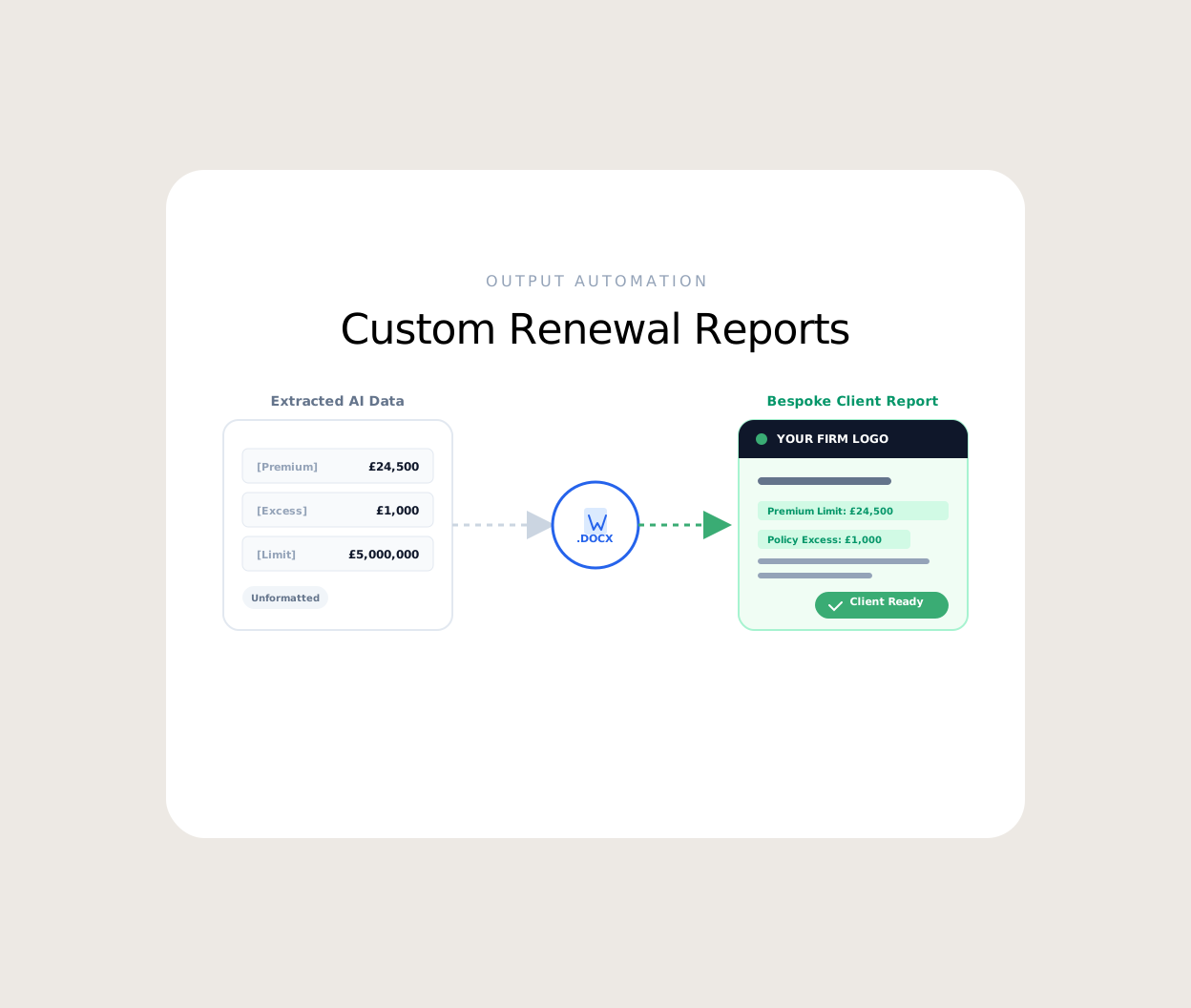
Cluda understands that your client-facing output is crucial. Our Renewal Reports functionality takes the precise, AI-extracted data from your policy comparisons and maps it directly into your existing Word .docx templates. It is not about learning a new system; it is about making your current branding work harder for you.
Here is how Cluda's broker renewal report software streamlines your process:
Maintain Brand Consistency: You upload your firm's established Word templates – complete with logos, colour schemes, and preferred section layouts. Cluda does not force you into a proprietary format. We work with what you already have, enabling custom templates.
Automated Data Population: Once Cluda has completed the Policy Comparison – side-by-side matrices, red/green highlighting of changes – that data is ready to be mapped. Our system identifies the appropriate fields within your template and populates them automatically. Limits, excesses, key coverage extensions, specific exclusions – all pulled directly and accurately with Word mapping.
Mitigate 'Fat Finger' Errors: By automating the transfer of key data points, we significantly reduce the risk of manual transcription errors. That £5,000,000 Professional Indemnity limit will not accidentally become £500,000 because of a typo.
Focus on Insight, Not Administration: Your brokers and account handlers can dedicate their time to analysing comparison results and crafting advisory commentary, rather than tediously copying and pasting. The 'Admin Trap' is significantly reduced.
Customisable Output: Need to include specific disclaimers or unique introductory paragraphs for certain clients? Your templates can accommodate these. Cluda handles data population, leaving you to focus on the tailored narrative, enhancing your overall branding.
How It Works: Seamless Workflow Integration
The process is straightforward. First, you ingest your various policy documents – schedules, wordings, endorsements, slips – into Cluda. Our AI extracts and standardises the information, even when comparing an Aviva schedule to a Lloyds slip. The system highlights changes, new exclusions, and offers a clear, auditable trail back to the source document.
Once the comparison is complete and reviewed by your team, Cluda's AI Assistant can even help draft summary points based on the analysed data. Then, with a few clicks, you select your desired branded Word template. Cluda takes the structured comparison data and populates it. The result is a professional, branded client renewal report, generated in a fraction of the time it would take manually.
This is not about replacing the broker. It is about empowering them to deliver higher quality, more consistent client service more efficiently. You review the final draft, adding your unparalleled market insight and client-specific advice. Cluda takes care of the repetitive, error-prone data transfer.
Elevate Your Renewals
Your brokerage invests heavily in expertise and client relationships. Your renewal reports should reflect that. Stop wasting valuable time on manual data transfer and reduce the risk of costly errors. With Cluda, your comparison data becomes a branded, professional client presentation, giving you a tangible edge in the marketplace. Ready to stop the manual grind? Start your 14-day free trial or Book a Demo.
Frequently Asked Questions
Can Cluda serve as a renewal report generator for brokers with specific system needs?
Cluda offers developer-first API Integrations to allow for integration with various back-office systems, including CRMs and broking platforms. This enables a more cohesive workflow, ensuring Cluda acts as an effective renewal report generator for brokers.
What if our reporting templates change over time?
You can easily upload and manage multiple Word .docx templates within Cluda. If your branding or report structure evolves, simply update your custom templates in the system. Our platform adapts to your evolving needs.
How does Cluda ensure data accuracy during the template mapping process?
Cluda's AI extracts data with high precision. During the Word mapping process, it uses defined fields to populate your templates directly from the verified comparison data. Furthermore, the broker always has final oversight to review and approve the report before it reaches the client, maintaining the 'human-in-the-loop' principle.